
How to Prepare an Effective PPT for Academic Conferences
Creating a compelling PowerPoint (PPT) presentation for an academic conference is more than just summarizing your research. It’s about communicating your work clearly, visually, and confidently to a scholarly audience. Whether you’re presenting a full paper or a short talk, your slides should enhance—not distract from—your message. Here’s how to prepare a professional and impactful PPT for academic conferences.
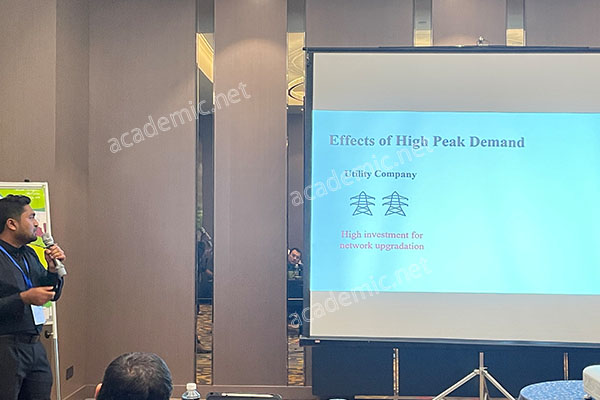
1. Understand Your Audience and Purpose
Before you open PowerPoint, clarify who your audience is—experts, students, cross-disciplinary researchers? Academic conferences attract diverse participants, so aim to make your content both rigorous and accessible. Define the goal of your presentation: Is it to inform, persuade, or provoke discussion?
2. Structure Your Presentation Logically
A well-organized presentation keeps your audience engaged. A common academic PPT structure includes:
-
Title Slide: Presentation title, your name, affiliation, and conference details.
-
Introduction: Research background and problem statement.
-
Objectives or Research Questions: What you aim to achieve or discover.
-
Methods: Briefly describe your approach or experiments.
-
Results: Present key findings with visuals (graphs, tables, images).
-
Discussion: Interpret the results and highlight significance.
-
Conclusion & Future Work: Summarize your contribution and next steps.
-
Acknowledgments & References: Optional, but appreciated in academia.
3. Focus on Clarity and Visual Impact
Academic audiences value clarity. Each slide should focus on one key idea. Use concise text and support it with visuals. Best practices include:
-
Use bullet points instead of paragraphs
-
Choose readable fonts (e.g., Arial, Calibri) and consistent styles
-
Avoid clutter; leave white space for better readability
-
Use high-quality charts, diagrams, or illustrations to visualize data
Avoid overloading your slides—your speech should add depth beyond what’s displayed.
4. Use Visuals to Strengthen Your Message
Visual aids help convey complex ideas quickly. Include:
-
Graphs: To compare data or trends
-
Flowcharts: To show processes or methods
-
Photos: To give context or show real-world application
-
Icons or diagrams: To simplify abstract ideas
Make sure all visuals are labeled and explained clearly.
5. Practice with Timing and Delivery
Most academic presentations are time-limited (usually 10–20 minutes). Rehearse multiple times to ensure you stay within the limit while delivering key points effectively.
Use presenter notes to guide your speech without reading directly from slides. Maintain eye contact, vary your tone, and pause strategically for emphasis.
6. Prepare for Q&A
After your PPT presentation, you’ll likely face a Q&A session. Anticipate possible questions based on your slides and prepare short, clear answers. This interaction showcases your mastery of the topic and opens opportunities for academic collaboration.
7. Final Touches and Technical Checks
-
Export your slides as PDF for backup
-
Test the presentation on another device
-
Bring your own clicker and USB drive
-
Check fonts and images display correctly
-
Use academic.net to stay informed on conference requirements and templates
Conclusion
A great academic conference PPT is clear, visually engaging, and supports your spoken message. It communicates your research value with precision and professionalism. Whether you’re a first-time presenter or a seasoned researcher, preparation is the key to a confident delivery.
Stay ahead with academic presentation trends and opportunities at academic.net—your guide to global academic success.